Build a Simple Calculator in Python
July 24, 2026
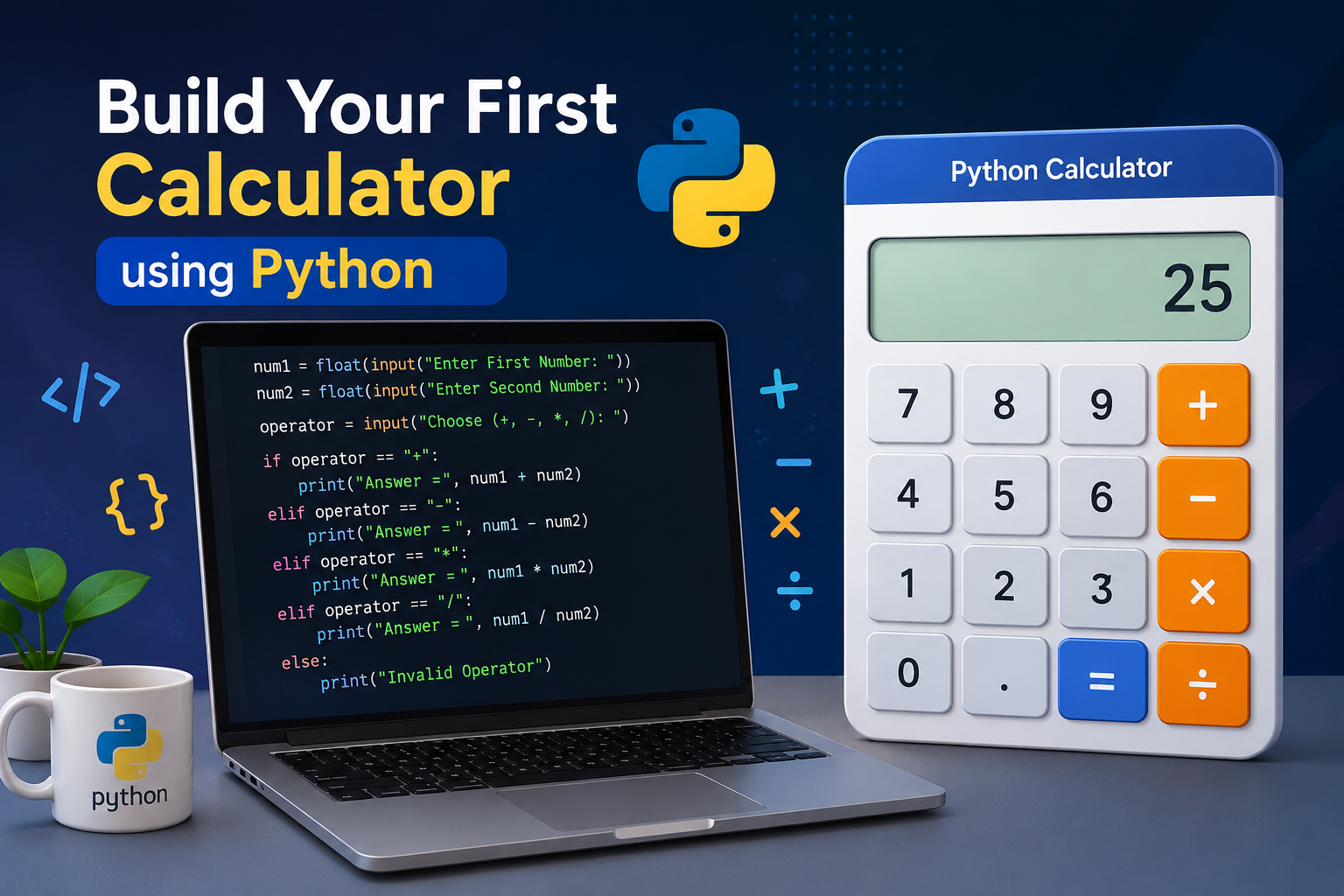
Learn how to build a simple calculator in Python using variables, user input, mathematical operators, conditional statements, and the print() function. This beginner-friendly Python project is perfect for students starting their coding journey and helps you understand how real programs take input, process data, and display results.
Introduction
If you're just beginning your Python programming journey, building a simple calculator is one of the best starter projects. It helps you understand how Python accepts user input, performs mathematical calculations, and displays results on the screen.
In this tutorial, you'll build a calculator that performs addition, subtraction, multiplication, and division. Along the way, you'll learn several fundamental Python concepts that every beginner should know before moving on to more advanced projects.
What You'll Learn
By completing this project, you'll gain practical experience with several essential Python programming concepts.
- Variables
- User Input
- Mathematical Operators
- The print() Function
- The float() Function
- if and elif Statements
- Building your first Python project
Before We Start
Before writing the code, it's helpful to understand how a calculator works. Every calculator follows a simple sequence of steps to process a calculation.
- Ask the user for the first number.
- Ask the user for the second number.
- Ask which mathematical operation to perform.
- Calculate the result.
- Display the answer.
Understanding Variables
A variable is like a storage box that keeps information for your program. Instead of remembering values yourself, Python stores them inside variables so you can use them later.
variables.py
In this example, the variable num1 stores the value 10. Later, your calculator will store numbers entered by the user inside variables before performing calculations.
Understanding User Input
A calculator becomes useful only when users can enter their own numbers. Python uses the input() function to collect information typed by the user during program execution.
input.py
Whenever Python reaches an input() statement, it pauses the program and waits for the user to type something. The entered value is then stored inside a variable.
Mathematical Operators
Mathematical operators perform calculations. Our calculator will use four basic operators to add, subtract, multiply, and divide numbers.
| Operator | Meaning |
|---|---|
| + | Addition |
| - | Subtraction |
| * | Multiplication |
| / | Division |
The print() Function
The print() function displays information on the screen. It is one of the first Python functions every beginner learns because it allows programs to communicate with users.
print.py
Throughout this calculator project, we'll use print() to display the final answer after performing the selected mathematical operation.
The float() Function
By default, Python treats everything entered through the input() function as text. To perform calculations, we must convert that text into numbers. The float() function converts user input into decimal numbers.
float.py
The float() function allows users to enter both whole numbers and decimal numbers such as 5.5, 3.14, or 10.0. Without float(), Python would treat these values as text instead of numbers.
Step 1: Get the First Number
The first step is to ask the user to enter the first number. We use the input() function to collect the value and the float() function to convert it into a number that Python can use for calculations.
step1.py
This single line asks the user for the first number, converts it into a decimal number, and stores it inside the variable num1.
Step 2: Get the Second Number
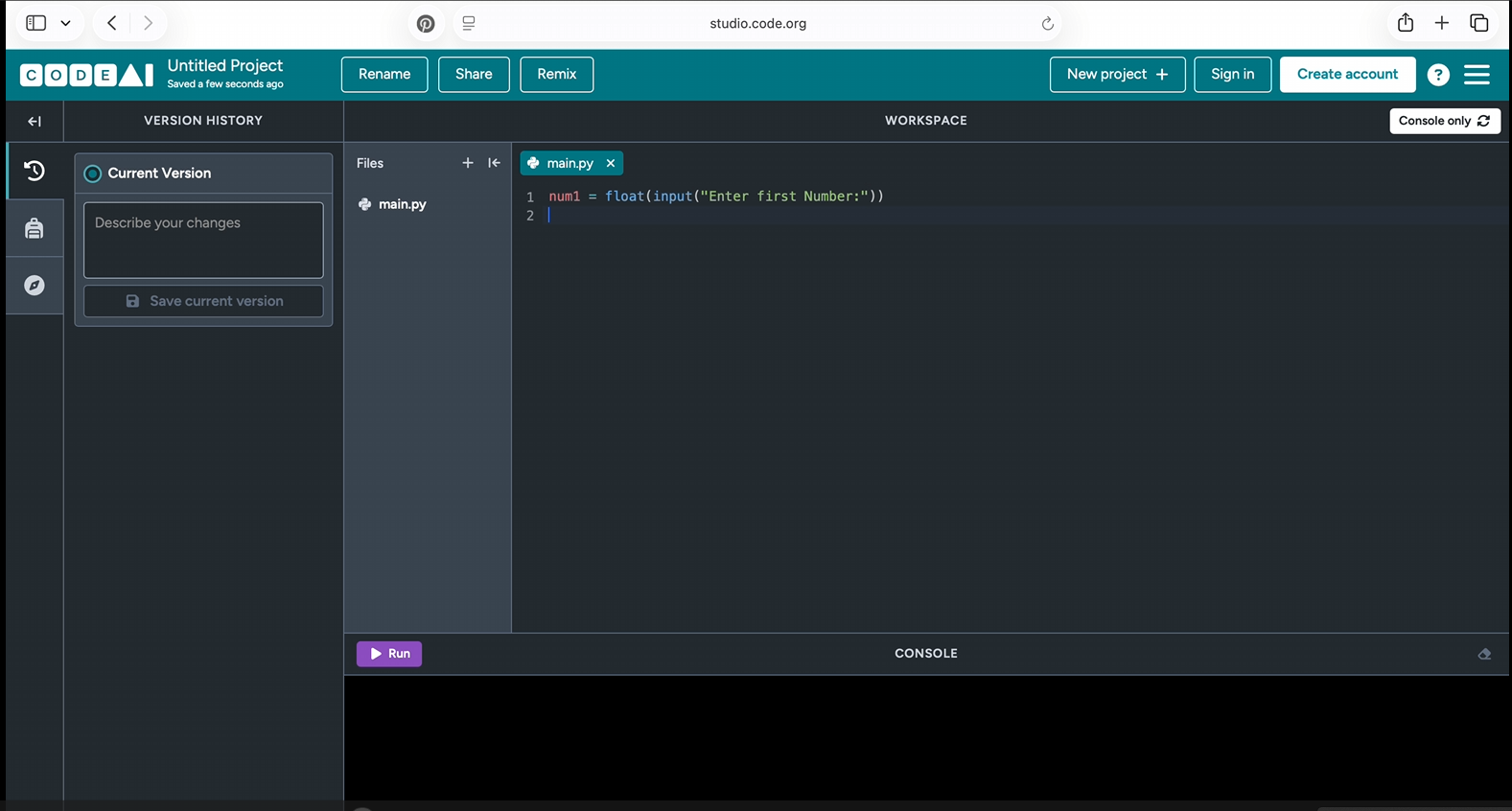
Next, ask the user for the second number. This value is stored in another variable called num2. Both numbers will later be used to perform the selected mathematical operation.
step2.py
Now your calculator has received both numbers and is ready to ask which operation the user wants to perform.
Step 3: Choose an Operator
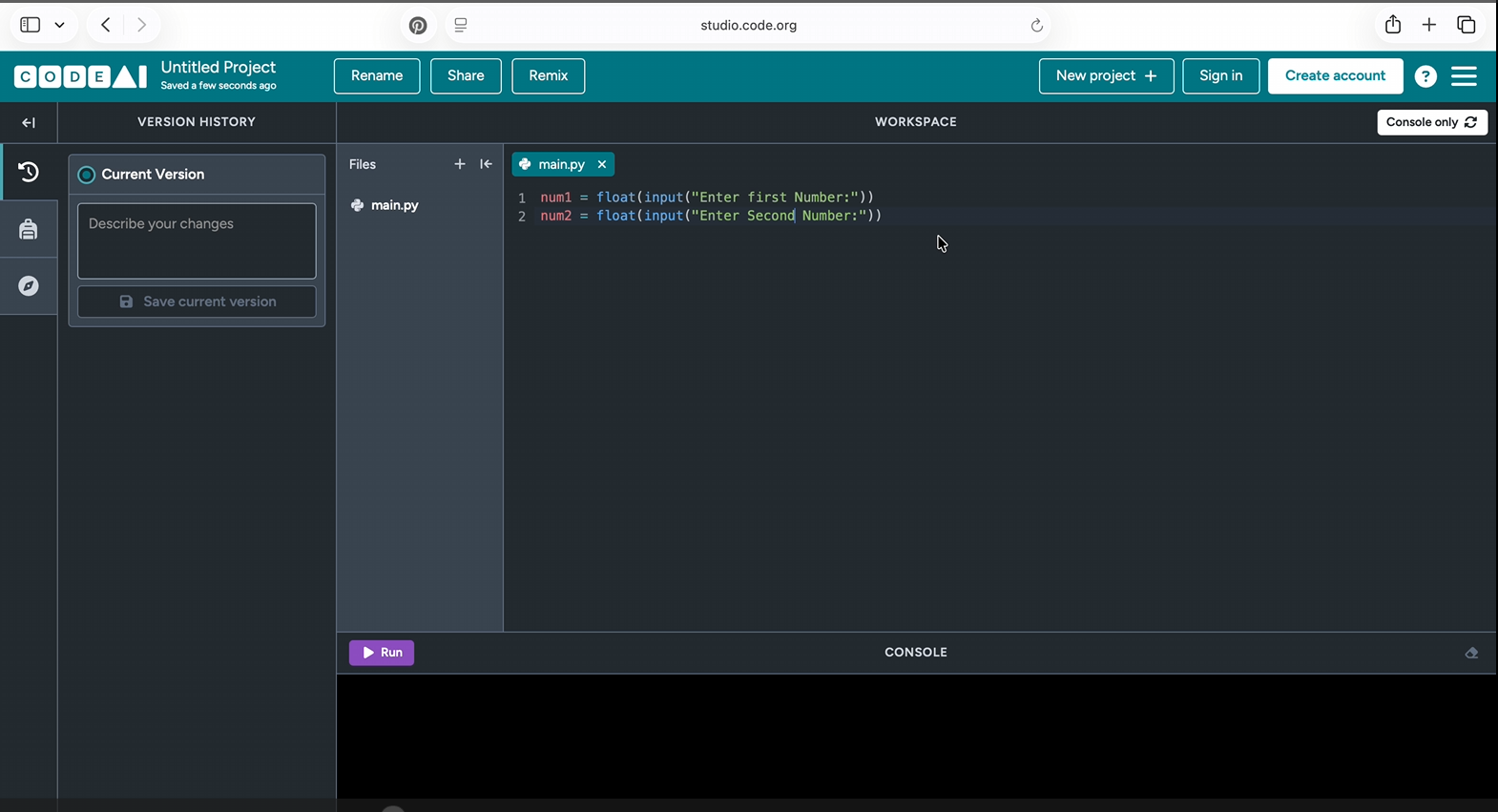
After collecting both numbers, the calculator asks which mathematical operation to perform. The user can choose addition, subtraction, multiplication, or division.
step3.py
- Addition (+)
- Subtraction (-)
- Multiplication (*)
- Division (/)
Step 4: Perform the Calculation
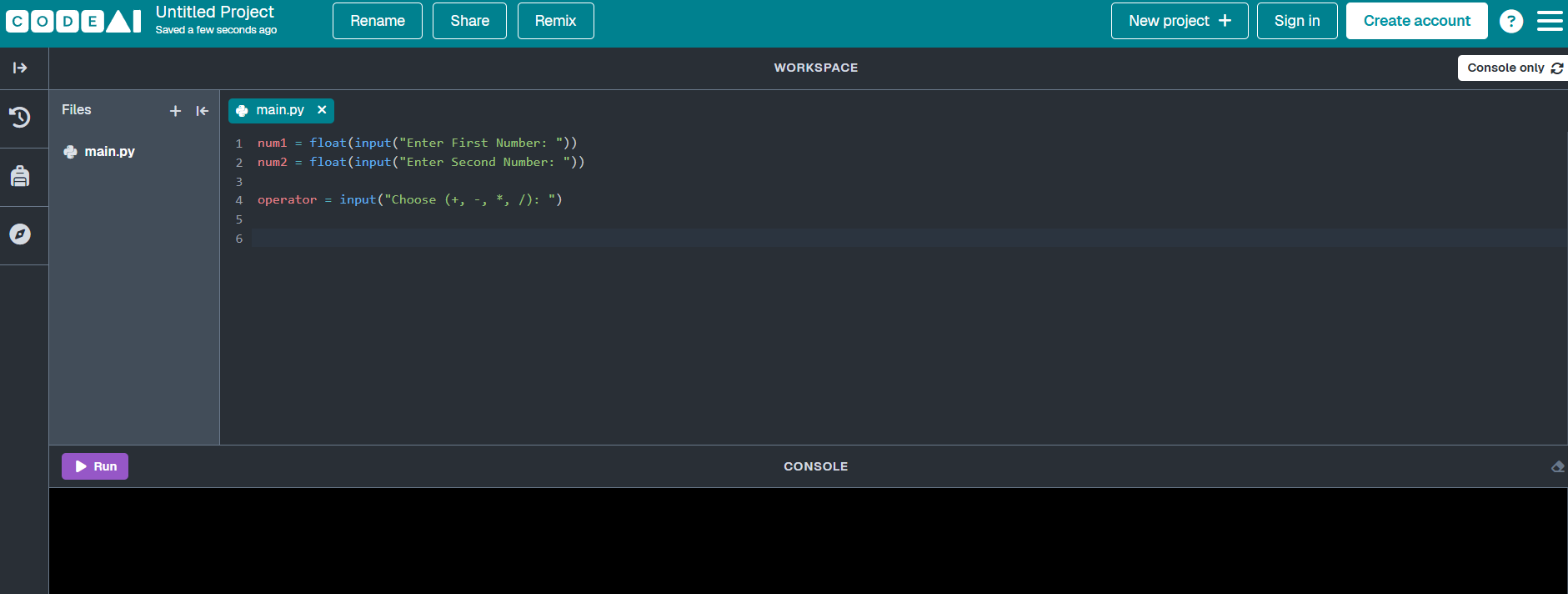
Now it's time to perform the calculation. Python uses if and elif statements to decide which operation should be executed based on the user's choice.
addition.py
If the user enters the '+' operator, Python adds the two numbers and displays the result.
subtraction.py
multiplication.py
division.py
Complete Python Code
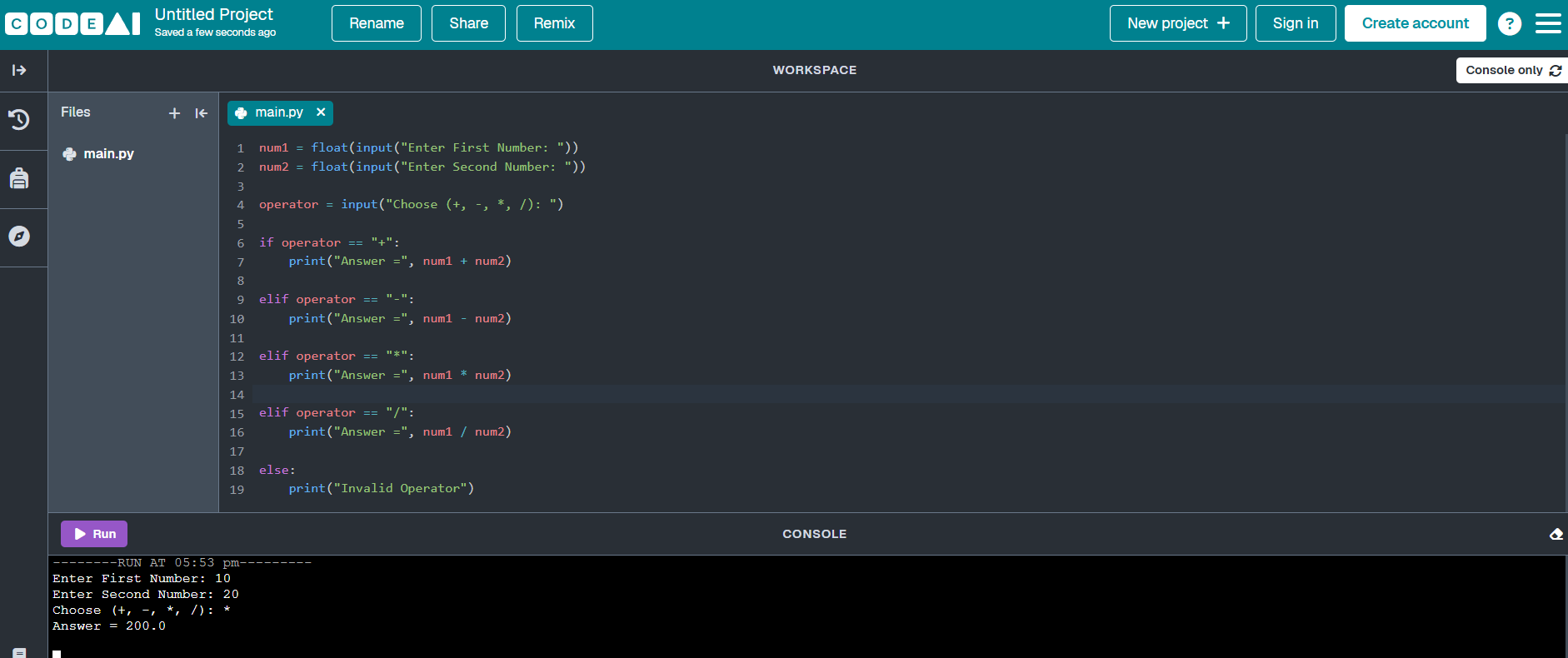
Now that you've learned each step individually, it's time to combine everything into one complete Python program. Copy the code below into your Python editor and run it to build your very first calculator.
calculator.py
Example Output
After running the program, Python asks the user to enter two numbers and choose an operator. It then performs the calculation and displays the result.
example-output.txt
Challenge Yourself
Once your calculator works correctly, try adding more features to improve your programming skills.
- Add Modulus (%) operation.
- Calculate powers using **.
- Add square root calculations.
- Handle division by zero.
- Allow the calculator to run repeatedly until the user exits.
- Build a graphical calculator using Tkinter.
Conclusion
Congratulations! You've built your first Python calculator and learned how to use variables, user input, mathematical operators, conditional statements, and the print() function. These concepts form the foundation of Python programming and will help you build more advanced applications in the future.
Keep experimenting with your calculator by adding new operations and improving its features. Every project you build brings you one step closer to becoming a confident Python programmer.
🚀 Future Coders Program for Kids
Ready to Start Your Child's Future-Ready Tech Journey?
Empower your child with Coding, Artificial Intelligence, Web Development, Mobile Apps, Robotics, and Future-Ready Digital Skills through live interactive, project-based classes at TeacherColab.